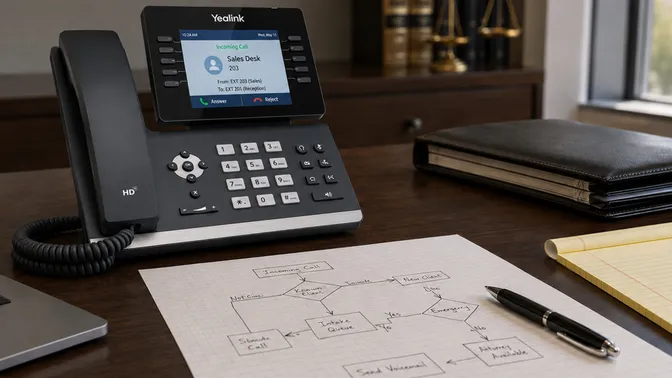
Nobody wakes up excited to research phone systems. If you’re here, something pushed you. Your system went down and your provider took two days to respond. You’re opening a second office and your current setup can’t stretch. Your carrier told you they’re discontinuing your lines and you have six months to figure it out.
Whatever the trigger, you’re comparing VoIP vs. landline for your business and trying to figure out if switching is worth the hassle.
We install and replace phone systems for businesses. We’ve pulled out legacy PBX boxes that have been sitting in closets for fifteen years. We’ve migrated offices that were paying three times what they should have been for basic phone service. And we’ve talked to plenty of businesses who were nervous about the switch and wished they’d done it sooner.
Here’s what we’ve learned about what actually changes, and what doesn’t.
VoIP vs. landline: the honest comparison
Before we get into the nuances, here’s the side-by-side. This isn’t a feature list designed to make one option look better. It’s what we see in the field.
| Traditional Landline / PBX | Cloud VoIP | |
|---|---|---|
| Monthly cost | $30-50+/line (varies by carrier and region) | $20-35/user (+ taxes and regulatory fees) |
| Call quality | Consistent on copper infrastructure | Equal or better on a properly configured network |
| Reliability | Works during power outages (copper lines carry power) | Requires internet; failover to mobile app on cellular |
| Scalability | Adding lines means new contracts, wiring, hardware | Add or remove users in minutes, no hardware changes |
| Features included | Basic: voicemail, caller ID, call waiting | Full suite: mobile app, call recording, video, CRM integration |
| Hardware | Proprietary, often carrier-locked | Standard SIP phones, not tied to one vendor |
| Support model | Carrier ticket queue | Varies wildly by provider (this matters; see below) |
| Setup time | Weeks to months (physical wiring, hardware install) | Days to weeks (network-based, configured remotely or on-site) |
Landline costs are unpredictable. They vary by carrier, by region, and by whatever bundle your account rep put together years ago. Most businesses don’t know what they’re paying per line. The invoices are dense with surcharges, regulatory fees, and add-on charges that weren’t there when they signed up. VoIP pricing is simpler: a per-user fee that covers most of what your team uses daily. At thinkVoIP, that’s $24.95/user/month: unlimited US and Canada calling, mobile app, voicemail, call routing, auto attendant, call recording, setup, training, and ongoing support. Desk phones, taxes, and regulatory fees are quoted on top.
The feature gap is real but not always the reason people switch. Nobody switches phone systems because they want CRM integration. They switch because the system they have isn’t working for them anymore. The features are a bonus that shows up once you’re already looking.
The support model is the single biggest variable in the VoIP experience. Most comparison articles gloss over this row. More on that below.
”But VoIP call quality isn’t as good as a landline”
This is the most common concern we hear. Is VoIP reliable for business? Yes, but the answer has a caveat that matters.
VoIP call quality problems are real. But they’re almost never caused by VoIP itself. They’re caused by the network it runs on. Jitter, packet loss, and insufficient bandwidth are network problems, not phone problems. When a business tells us their last VoIP system had terrible call quality, we ask what their network looked like. Usually the answer is: nobody checked.
A proper VoIP installation starts with a network assessment. We test bandwidth, jitter, packet loss, and QoS configuration before a single phone gets plugged in. The assessment takes less than an hour and catches the problems that cause bad call quality. Most VoIP horror stories trace back to a provider who shipped a box of phones and hoped the network would be fine.
Modern VoIP codecs (like G.722) deliver HD voice. A VoIP call on a properly configured network sounds better than a traditional landline call. People associate VoIP with bad audio because their experience comes from consumer apps: FaceTime calls over hotel wifi, WhatsApp on a congested cell network. Business-grade VoIP on a business-grade network doesn’t have that problem.
The other side of VoIP reliability is uptime. If your internet goes down, your desk phones stop working. That’s true. But a properly configured hosted VoIP system has a failover plan. The mobile app runs on cellular data, so calls route to your team’s phones automatically. (The same app that replaces company cell phones for a lot of our clients.) You can also set up forwarding rules that kick in when the system detects an outage. Landlines have the advantage of working during power outages (copper carries its own power), but that advantage is shrinking as carriers phase out copper infrastructure.
If you’ve tried VoIP before and went back to landlines, this is worth considering: VoIP reliability depends almost entirely on two things your last provider may not have done. The network assessment before installation, and a support relationship where someone who knows your system picks up when you call. We talk to businesses every month who had a bad VoIP experience, and in almost every case, the problem traces to a provider who skipped one or both.
VoIP call quality on a properly configured network matches or beats a landline. The variable is whether your provider does the network work upfront.
”Our staff can barely use the current phones”
The second most common concern, and a reasonable one. Switching phone systems means your team has to learn something new, and nobody has time for that.
But here’s what a modern VoIP desk phone actually looks like: a handset, a few buttons, a small screen. Transfer, hold, voicemail, conference. The interface is different from your old system, but the concepts are identical. Nobody is learning a new way to make phone calls. They’re learning where the buttons are on a different phone.
Training for basic phone usage (answering calls, transferring, checking voicemail, using the directory) takes about an hour. That’s a group session where someone walks your team through the common tasks and answers questions. Advanced features like call recording playback, conference bridges, and the mobile app can be a second session, but most people figure those out on their own once they’re comfortable with the basics.
The complexity concern is legitimate if your VoIP provider expects your team to handle configuration changes. Some providers hand you a web portal and wish you luck. That’s where the managed service model makes the difference: your team uses the phones, and when something needs to change (a new hire, an updated auto attendant, a different call routing schedule), you call your provider and they handle it. Your office manager doesn’t become the phone system administrator.
Your team can handle VoIP. What matters is whether your provider handles the parts your team shouldn’t have to think about.
How much do business phone systems cost?
It depends on what you’re counting.
Most businesses compare the monthly per-line cost of their landline to the monthly per-user cost of VoIP and call it even. But that comparison misses the hidden costs that make landlines more expensive than they appear.
The landline bill you see:
- Per-line charges: $30-50/line/month (varies by carrier and region)
- Long distance charges (if applicable)
- Regulatory fees and surcharges (check your last invoice; these add up)
The landline costs you don’t always see:
- PBX hardware maintenance contract: $100-500/month depending on size
- Per-feature charges: voicemail, auto attendant, call recording are often add-ons
- Change fees: adding a line, changing call routing, updating a greeting. Each one a billable event
- Hardware refresh: when the PBX ages out (every 7-10 years), you’re buying a new one
- Wiring and installation: physical phone jacks for every desk
What VoIP typically costs:
- Per-user fee: $20-35/month (varies by provider and what’s included)
- Taxes and regulatory fees on top (same as landlines)
For a 10-person office, a landline setup with a basic PBX runs $500-800/month when you add up lines, maintenance, and feature charges. A VoIP system runs $200-350/month. For a 25-person office, the gap widens. For a 40-person office, the difference is $1,500-2,000/month. That’s $18,000-24,000 a year back in your operating budget.
At thinkVoIP, the base price is $24.95/user/month. That covers the features most businesses use daily, plus setup, training, and ongoing support. Some add-on services and carrier pass-through fees apply depending on your setup, and applicable taxes and regulatory fees are on top (same as any phone service).
The businesses that save the most when switching to VoIP aren’t the ones with the highest phone bills. They’re the ones who were paying for maintenance contracts, per-change fees, and feature add-ons they didn’t realize were optional. If you’re not sure what you should be asking about pricing, here’s a checklist of questions to ask before you sign anything.
The question that actually matters: who sets it up and supports it?
Most VoIP vs. landline comparisons end with a feature table and a recommendation to switch. But the technology comparison misses the most important variable: who’s behind the system after you sign?
There are two models for VoIP service, and the difference between them is bigger than the difference between VoIP and a landline.
The national provider model. You sign up online, choose a plan, receive a box of phones, and set them up yourself using a web portal. Support is a ticket queue. Changes take days. On-site help doesn’t exist. This is the RingCentral, Vonage, and Dialpad experience. The technology works fine. The experience of using it as a business depends entirely on how capable your team is at being their own phone system administrators.
The managed provider model. A technician comes to your office, assesses your network, configures the system, installs every phone, trains your staff, and manages every change going forward. When you need to add a user, you call a person who knows your setup. When something breaks, someone who built your system troubleshoots it and comes to your office if needed.
That’s how we work. It’s not for everyone; some businesses prefer self-service. But for most small and mid-size businesses, the managed model is the reason the switch to VoIP actually works out. The phone system itself is the easy part. The setup, the training, the ongoing moves, adds, and changes: that’s what separates a phone system that works from one that sits half-configured.
If you’re evaluating VoIP providers, skip the feature comparison. Ask this instead: when I need help on a Tuesday afternoon, who picks up the phone?
Making the switch
The switching process is simpler than most businesses expect. Your existing phone numbers port over to the new system. You stay on your current phones until the new system is configured and tested. The cutover itself is the least eventful part. We wrote a full guide on how it works, including the parts most providers don’t mention.
If you want to know what switching would cost and how long it would take for your specific setup, call us at 844-767-1924 or send us a message. It’s a 15-minute conversation, not a sales pitch.